Want to download a precious Facebook video without losing its quality? Let’s explore how to download public and private Facebook videos using any device.
Looking to preserve moments you don’t want to lose, but end up with a blurry video whenever you try downloading something from Facebook? Or have you found an important video in a private Facebook group that you want to keep but can’t download easily?
But can you download Facebook videos simply by copying and pasting a link? Yes! Several third-party online tools support this method, although downloading public and private videos involves different processes.
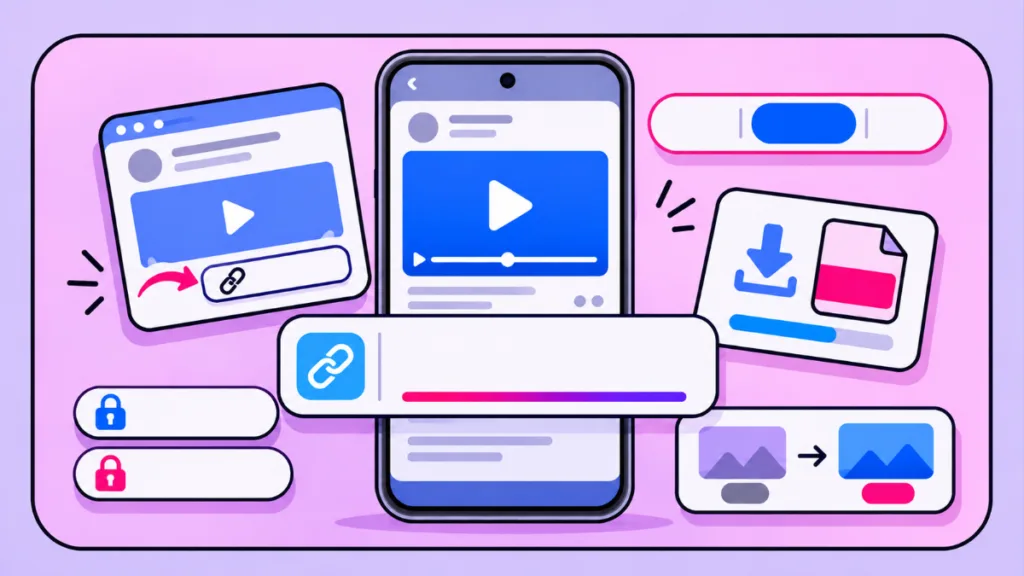
Let’s explore how to download public Facebook videos and private videos you’re authorised to access using the best available options.
Can You Download Facebook Videos by Copying a Link?
Yes! Several third-party online tools allow you to download supported Facebook videos by pasting their URLs. Depending on the tool and video availability, you can save videos in MP4 format, choose from available resolutions, and watch them offline.
For this guide, we’ll use two tools for different purposes:
- CnvMP3: For downloading supported public Facebook videos.
- FSave: For its advertised page-source-based workflow for private videos you’re authorised to access.
Since these tools follow different processes, let’s look at each method step by step.
1. Download Public Facebook Videos Using CnvMP3
CnvMP3 is an online video downloader that lets you download supported public Facebook videos by pasting their URLs.
Key Features of CnvMP3
- Copy-Link Downloading: Paste a Facebook video URL directly into the downloader.
- MP4 Format: Save videos in MP4 format.
- Multiple Resolutions: Lists 144p, 360p, 480p, 720p, and 1080p options.
- Free Online Access: No separate software installation required.
- Multiple Platform Support: Also lists TikTok, Instagram Reels, Reddit, Twitch, and Twitter.
- Ad-Free Experience: Advertises an ad-free interface.
- Download Duration Limit: MP4 downloads longer than one hour are listed as unsupported.
How to Download Facebook Videos Using CnvMP3
Follow these steps:
- Open Facebook: Find the public video you want to download.
- Copy Video Link: Open the original post, select Share, and click Copy Link.
- Visit CnvMP3: Open CnvMP3 and paste the copied URL.
- Select MP4 and Quality: Choose MP4 and select an available resolution, such as 480p, 720p, or 1080p.
- Convert and Download: Click Convert, wait for processing, and select the download option.
How It Helps:
- Downloads supported public Facebook videos.
- Provides available resolution options.
- Saves videos for offline viewing.
- Works through a web browser without installing an application.
What If You Lost or Can’t Find the Facebook Video?
You can use Facebook Activity Log to locate videos you’ve previously watched.
How to Find Previously Watched Facebook Videos:
- Open Activity Log: Visit Facebook Activity Log while logged into your account.
- Find Watched Videos: Look for the Videos You’ve Watched category or the corresponding activity option.
- Browse Your Activity: Check your previous activity or use available date filters.
- Open the Video: Select the relevant entry to revisit its original post.
- Copy the Link: Copy the video URL and follow the CnvMP3 downloading steps above.
Tip: Use the same Facebook account you used to watch the video. Activity Log cannot recover videos that have been deleted, removed, or made unavailable by their uploader.
2. Download Private Facebook Videos Using FSave
FSave Private Facebook Video Downloader advertises a page-source-based workflow for downloading private Facebook videos.
Key Features of FSave
- Private Video Downloading: Advertises support for private videos from Facebook profiles, groups, and Pages.
- HD Video Quality: Lists Full HD (1080p), 2K, and 4K options, depending on source availability.
- Private Group Video Support: Provides a dedicated workflow for private-group videos.
- Page-Source Downloading: Uses information from the video’s page source.
- Free Online Access: Browser-based downloading without additional software.
- Multiple Device Compatibility: Advertises support for Android, iOS, iPhone, PC, and tablets.
- No Separate Account: Advertises downloading without creating an FSave account.
How to Download Private Facebook Videos Using FSave
Follow its advertised workflow:
- Open the Private Video: Open Facebook in a desktop browser and sign in to the account authorised to access the video.
- Copy the Video Link: Open the original video post and copy its URL from the browser’s address bar.
- Visit FSave: Open FSave Private Facebook Video Downloader and paste the copied URL.
- Generate the Page-Source Link: Follow FSave’s instructions to generate and open the next link.
- View Page Source: Use the listed browser shortcuts:
- Windows:
Ctrl + U - Mac:
Command + Option + U
- Windows:
- Copy and Submit the Page Source: Follow FSave’s instructions to copy the required information and paste it into its input field.
- Select Video Quality: Check the available resolutions, including Full HD, 2K, or 4K if supported.
- Download the Video: Select the download option and save the video to your device.
How It Helps:
- Provides an advertised workflow for authorised private Facebook videos.
- Offers additional resolution options, depending on source availability.
- Allows browser-based downloading without separate software installation.
Security Warning: Page source from a logged-in Facebook session may contain sensitive information. Review the website’s privacy practices before submitting it. Never share Facebook passwords, session cookies, authentication tokens, or login credentials. If you cannot verify that the process is safe, request the original video from its owner instead.
Important: Only download videos you own or have permission to copy. Having access to a private Facebook group does not automatically grant permission to download or redistribute its videos.
FAQ About Facebook Video Downloads
How Can I Download Facebook Videos in the Highest Quality?
Copy your Facebook video link and paste it into CnvMP3. Select the highest available resolution supported by the original video before downloading.
Why Does My Downloaded Facebook Video Look Blurry?
Your video may look blurry because the downloader retrieves a lower-resolution version or the original upload has limited quality. Try selecting a higher available resolution.
Why Does a Facebook Video Downloader Reduce Video Quality?
Some downloaders retrieve lower-resolution streams or apply additional compression. Check the available quality options before downloading your video.
How Can I Download Facebook Videos in 1080p?
Paste your Facebook video link into CnvMP3 and select 1080p if available. The original video must also support that resolution.
Can I Download Facebook Videos in Their Original Quality?
You may be able to download a video in its original or closest available quality. However, the final resolution depends on the source video and the downloader.
Why Does Facebook Show HD Video but Download SD Quality?
The downloader may retrieve a lower-resolution stream even when Facebook plays the video in HD. Check whether 720p or 1080p is available before downloading.
How Do I Select the Highest Available Resolution?
After pasting your video link into CnvMP3 or following FSave’s download process, check the available quality options and select the highest supported resolution.
Does Copying a Facebook Video Link Affect Its Download Quality?
No. Copying a video link does not reduce its quality. The final result depends on the original video and the downloader’s available video streams.
Check out our latest posts on the Blog Page!
Disclaimer
- Educational Purpose: This article is intended for informational and educational purposes only.
- Copyright and Permissions: Download only videos you own or have permission to copy. Respect copyright laws, content ownership, privacy rights, and Facebook’s applicable terms and policies.
- Third-Party Tools: CnvMP3 and FSave are independently operated services. They are not affiliated with or endorsed by Izoate Tech.
- No Guarantees: The features, availability, security, reliability, and download quality of these tools may change. We cannot guarantee their performance.
- Privacy and Security: Review third-party websites’ privacy policies before using them. Never share your Facebook password, session cookies, authentication tokens, or other sensitive account information.
- Limitation of Responsibility: Izoate Tech is not responsible for misuse of these tools, copyright violations, privacy breaches, or any loss or damage resulting from their use.