Wondering which free authenticator app you should use on your iPhone? I tested 5 of the best free authenticator apps for iPhone in 2026 for security, backup, privacy, and portability.
Setting up an authenticator app feels deceptively simple: download an app, scan a QR code, and watch a six-digit number tick down every 30 seconds.
Generating the code isn’t the hard part—every app on the App Store does that identically. The real test happens months or years later when you drop your phone in water, upgrade to a new iPhone, or decide to switch ecosystems.
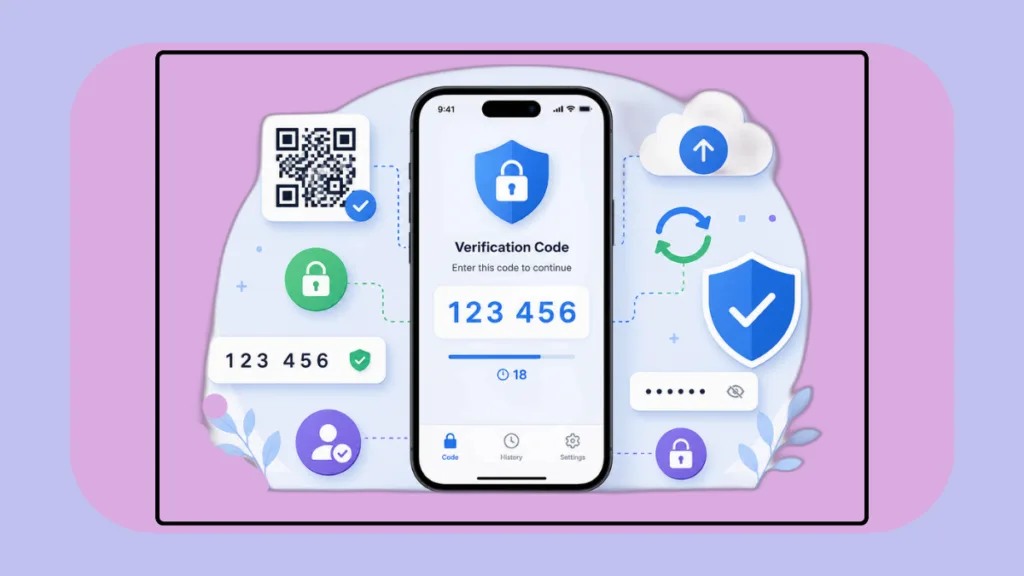
At that point, only two questions matter: Can you recover your accounts without losing your mind, and can you export your data if you ever want to leave?
To find the best balance of security, backup safety, and long-term portability, here is an honest look at five of the most popular free options available on iOS: Ente Auth, Proton Authenticator, Google Authenticator, Microsoft Authenticator, and Authy.
The 5 Best Free Authenticator Apps for iPhone: Quick Comparison
| App | Best For | Standout Feature | The Catch |
| Ente Auth | Best Overall | Open-source, E2E encrypted backups, full export | Slightly more settings to navigate |
| Proton Authenticator | Privacy Purists | Zero-knowledge architecture, no account required | Extra features if you only want bare-bones 2FA |
| Google Authenticator | Zero-Friction Simplicity | Clean interface, offline reliability, QR transfer | Minimal cross-app export flexibility |
| Microsoft Authenticator | Microsoft / Work Accounts | Seamless passwordless login for Entra/M365 | Proprietary backup; poor cross-app export |
| Authy | Legacy Users Only | Familiar multi-device sync | Zero export support (severe vendor lock-in) |
1. Ente Auth — Best Overall
If you are configuring a fresh iPhone today, Ente Auth should be at the top of your list.
It doesn’t produce “better” codes than anyone else, but it handles everything surrounding those codes with exceptional care. Ente offers end-to-end encrypted cloud backups, seamless cross-platform syncing (iOS, Android, desktop, and web), and a completely open-source codebase.
Where Ente really pulls ahead is data portability. If you only manage five accounts, re-enabling two-factor authentication manually isn’t the end of the world. If you manage fifty, manual migration is an entire afternoon of frustration. Ente allows you to import seeds from competitors and export your vault as a password-protected, encrypted file whenever you want. You can also use it purely offline if you prefer keeping your secrets strictly local.
- Best for: Anyone who wants complete ownership over their 2FA tokens across multiple devices without vendor lock-in.
2. Proton Authenticator — Best for Privacy-First Setups
Proton Authenticator is the strongest modern alternative to Ente. Developed by the team behind Proton Mail and Proton Pass, it is completely free, open-source, and devoid of trackers or ads.
What makes Proton particularly compelling is how low-friction it is for a dedicated privacy tool. You don’t even need to register a Proton account to use it; iPhone users can back up locally and sync across Apple devices via iCloud Keychain. If you do sign in with a Proton account, you get zero-knowledge encrypted syncing across Android, Windows, and Mac.
Like Ente, Proton respects data mobility: you can import tokens directly from Google Authenticator, 2FAS, or Bitwarden, and export your database cleanly if you ever switch apps.
- Best for: Privacy-conscious users who want transparent, zero-knowledge encryption and clean cross-platform syncing.
3. Google Authenticator — Best for Pure Simplicity
Google Authenticator remains the easiest recommendation for anyone who wants an app that simply gets out of the way.
For years, its biggest flaw was that codes were trapped on whatever physical phone generated them. Today, Google supports encrypted syncing through your Google Account, alongside a batch QR-code transfer tool for moving tokens between two phones sitting side-by-side.
It lacks the granular export formats, desktop clients, and open-source transparency of Ente or Proton. But if your goal is an intuitive, no-fuss authenticator that anyone can understand in under two minutes, Google Authenticator gets the job done reliably.
- Best for: Beginners and casual users who want straightforward 2FA without managing encryption keys or migration files.
4. Microsoft Authenticator — Best for Work & Microsoft Ecosystems
If your daily workflow revolves around Microsoft 365, Teams, or an enterprise Entra ID login, Microsoft Authenticator is practically indispensable.
Beyond generating standard time-based one-time passwords (TOTP), it acts as an identity hub for Microsoft services, supporting number-matching push notifications and passwordless sign-ins. On iOS, it backs up third-party tokens to iCloud, making standard iPhone upgrades relatively smooth.
The downside is long-term portability. Backing up an app inside its own silo is not the same as exporting your raw secrets. Microsoft makes it easy to restore on another iPhone, but migrating your keys into an independent authenticator down the road is tedious.
- Best for: Anyone whose primary need is enterprise single sign-on (SSO) or heavy personal use of Microsoft 365.
5. Authy — Familiar, but Hard to Recommend Today
Authy was one of the early pioneers of multi-device 2FA syncing, but its architecture hasn’t kept pace with user-first portability standards.
The critical issue with Authy is vendor lock-in. Twilio’s official documentation explicitly notes that Authy does not offer a data export feature. If you build up dozens of accounts in Authy and later decide to switch apps, your only option is logging into every single service individually, disabling 2FA, and scanning new QR codes from scratch.
Combined with the deprecation of their standalone desktop app, Authy is difficult to recommend for a new setup when modern, export-friendly alternatives exist for free.
- Best for: Existing users grandfathered into an established setup who don’t want to go through the hassle of migrating yet.
Does Apple have a free Authenticator app?
You might not need a standalone authenticator app at all.
Starting with iOS 18, Apple streamlined verification codes directly into the native Passwords app (and iCloud Keychain). When you scan a 2FA QR code with your iPhone camera, Safari can automatically generate and autofill verification codes across your Mac, iPad, and iPhone.
- Stick with Apple Passwords if: You live entirely within the Apple ecosystem and prioritize frictionless Safari autofill above all else.
- Use a dedicated app (Ente or Proton) if: You regularly use Windows or Android devices, or prefer separating your two-factor tokens from your password vault for defense-in-depth security.
Is there a totally free Authenticator app?
Yes—all five of the options compared above are completely free to use without requiring paid subscriptions for their core 2FA features. In particular, open-source options like Ente Auth and Proton Authenticator provide full cross-platform synchronization, cloud backups, and data export capabilities without paywalls, ads, or tracking.
Which free Authenticator app is best for iPhone?
Generating a code is trivial; recovering those codes when unexpected hardware failure strikes is what actually matters.
- Top Pick: Ente Auth offers the best overall blend of security, open-source transparency, and seamless data portability.
- Privacy Pick: Proton Authenticator delivers zero-knowledge encryption without requiring an account.
- Simple Pick: Google Authenticator remains the go-to for zero-friction daily use.
Crucial Security Reminder: An authenticator app is only one half of your security setup. Whenever a service gives you static emergency recovery codes during 2FA setup, save them offline or in a secure vault. A great authenticator keeps intruders out; your recovery codes ensure you don’t lock yourself out.
Check out our latest posts on the Blog Page!
Pingback: Why Do I Get So Many Spam Calls? Causes & How to Stop Them - Izoate Tech