Let’s discover the 9 best photo to cartoon AI tools in 2026. We review top apps that are fast, high-quality, and customizable, focusing on privacy, image resolution, and advanced AI styles.
Most Android users rely on the default, fleeting filters found in social media apps like Instagram or Snapchat to cartoonize themselves. While these offer a moment of amusement, they often result in low-resolution images, aggressive watermarking, and a generic “one-size-fits-all” aesthetic.
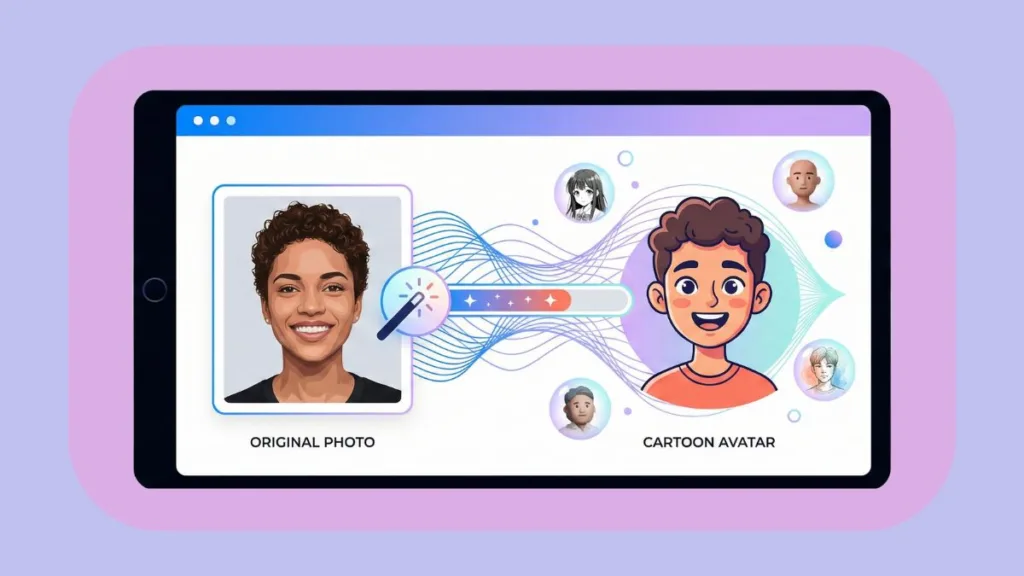
But what if we told you there’s a better way? We are entering a new era of digital art where powerful, customizable, and high-fidelity tools built specifically for turning photos into art are accessible to everyone. These dedicated AI generators don’t just apply a mask; they reimagine your image with artistic depth and stylistic precision.
How We Tested and Ranked the Best AI Cartoonizers for 2026
We have been rigorously testing AI photo editors year by year to keep pace with the rapid advancements in machine learning. For this comprehensive 2026 review, we installed, tested, and reviewed multiple AI cartoon generators, pushing them to their limits.
Our evaluation focused on critical real-world usage metrics: processing speed, the accuracy of facial likeness (preserving your identity while stylizing it), and strict privacy standards.
We also analyzed App Store ratings, combed through community feedback on forums, and evaluated the integration of recent AI model updates—such as Flux and Stable Diffusion 3—to ensure each recommendation is currently the best in class.
After weeks of intensive usage and comparison, we have narrowed the market down to the 9 best photo to cartoon AI tools for 2026.
Why You Should Ditch Instagram Filters for Dedicated AI Cartoon Generators
Before diving into the specific apps, let’s quickly look at why discerning users search for dedicated AI cartoonizers rather than settling for social media gimmicks.
Privacy-First Processing: Keeping Your Biometric Data Safe
We know how frustrating and concerning it feels when viral apps seem to hoard your data. Unlike fleeting trend apps that might harvest and sell your biometric data to third parties, reputable photo editors often process images locally on your device or adhere to strict, transparent cloud deletion policies. This approach ensures that your digital twin remains yours, with no hidden tracking and no targeted ads generated based on your facial data.
Granular Customization: From Disney 3D to Cyberpunk Styles
When we tested these apps, one thing stood out immediately: granular control. Social media filters typically offer a single, unchangeable “look.” Dedicated AI tools, however, place the creative reins in your hands. They allow you to tweak the strength of the effect, choose between distinct artistic sub-genres like “Disney 3D,” “Studio Ghibli” anime, or “Cyberpunk,” and even intelligently replace or blur the background to suit the new artistic style.
High-Resolution Export: Professional Quality for Print and LinkedIn
Many of us want to do more than just share a story; we want to print our cartoons on canvas, use them as professional LinkedIn avatars, or integrate them into branding materials. The apps we reviewed handle high-resolution export brilliantly. You can say goodbye to pixelated screenshots and enjoy crisp, professional-grade art suitable for any medium.
The Top 3 AI Cartoon Generators of 2026 (Tested & Ranked)
After personally testing multiple apps, we found that PhotoDirector, MyEdit, and Sketch Me! are the undisputed top options for 2026. Each of them brings something unique to the table, catering to different creative styles and technical needs.
1. PhotoDirector Review: The Best Overall AI Editor for Detailed Cartoons
PhotoDirector has quickly risen as a favorite in the AI editing category. After testing it ourselves, we can confidently say it’s the most polished, all-encompassing option for users who want quality, versatility, and control. With its consistently high ratings on app stores and frequent feature-rich updates, it has carved its own space among digital artists and casual creators alike.
Why PhotoDirector Dominates the Market in 2026
- Optimized for Detail: During our stress test, PhotoDirector managed to cartoonize complex portraits—handling challenging elements like curly hair, eyewear, and intricate jewelry—without distorting features or creating digital artifacts. Many mainstream apps fail in this department, but PhotoDirector is built to preserve the subject’s unique identity.
- All-in-One Design: This app isn’t just a one-trick pony for cartoons. It integrates professional-grade tools like object removal, color grading, and “Edit by Chat” features seamlessly into the cartoonization workflow.
Key Features: AI Outfits, Edit by Chat, and Style Variety
- Diverse Style Library: Access to 20+ distinct cartoon styles, ranging from 3D animation and Anime to sophisticated Caricatures.
- AI Outfit Generator: A standout feature that allows you to change your clothes in the cartoon version, perfect for professionalizing a casual selfie.
- Edit by Chat: This revolutionary feature allows you to make complex edits using simple text commands, streamlining the creative process.
- Stock Integration: Seamless integration with stock libraries allows for creative background replacements.
Potential Drawbacks: Premium Features and Style Defaults
- Some of the more premium, high-definition styles require a subscription.
- The “Anime” filter occasionally defaults to feminine features if not prompted correctly, though this is improving with updates.
Best User Profile: Professionals and Privacy-Conscious Creators
- Creators and professionals seeking a high-quality profile picture (PFP) that stands out.
- Users who need to perform additional edits—like lighting adjustments or blemish removal—after cartoonizing the image.
- Privacy-conscious users who prefer trusting an established software brand over a fly-by-night app.
2. MyEdit Review: The Best Browser-Based Tool for Instant Results
MyEdit is expertly designed for those who prefer simplicity and speed without the burden of installing heavy software or managing storage space. It runs entirely in your web browser and utilizes powerful cloud AI models like Flux and Gemini to deliver top-tier results.
Why MyEdit is the Top Cloud-Based Choice for 2026
- Instant Results: From our tests, MyEdit transformed images in under 5 seconds, boasting an incredibly efficient processing engine. It requires zero manual adjustments—just upload your photo, choose a style, and let the cloud do the heavy lifting.
- Diverse Styles: It offers an expansive library of over 150+ filters, including specific modern trends like “Claymation,” “Pixel Art,” and “Toy Figure,” ensuring you never run out of aesthetic options.
Standout Features: AI Scene, Browser Access, and File Support
- AI Scene: A powerful tool that can turn travel photos into anime backgrounds or oil paintings, reimagining your environment entirely.
- Browser-Based Convenience: It works flawlessly on Chrome, Safari, and Edge, making it accessible from any device.
- Large File Support: Unlike many web tools that compress images, MyEdit supports large file sizes (up to 50MB).
- AI Headshot: A feature specifically tuned for generating professional business cartoons and avatars.
Connectivity and Credit Considerations
- It requires a stable internet connection, as there is no offline mode.
- While free to use, some high-resolution downloads may require credits.
Best User Profile: Desktop Users Seeking Speed and Convenience
- Desktop users who want immediate access without installing software.
- Casual users looking for a quick, fun “Disney-style” avatar for social media.
- Social media managers needing to generate quick, engaging content on the fly.
3. Sketch Me! Review: The Best Lightweight App for Hand-Drawn Effects
Sketch Me! is designed for those who prefer the classic, artistic “hand-drawn” look over the hyper-processed 3D AI generation found in other apps. It is lightweight, fast, and focuses purely on mastering sketching effects.
Why Sketch Me! Remains Essential for Offline Sketching in 2026
- Ultra-Lightweight: At just a few megabytes, it is incredibly efficient and doesn’t clog your device’s storage.
- Local Processing: It applies effects directly on your device using local processing power. This means it works 100% offline, making it the perfect travel companion.
Core Strengths: Local Processing and Instant Contrast Control
- Instant Conversion: Delivers immediate “Pencil Sketch” and “Cross-Hatch” conversion with zero lag.
- Manual Adjustments: Simple sliders allow you to fine-tune contrast and brightness to get the sketch exactly right.
- Completely Free: It remains free to use, democratizing access to artistic photo editing.
Trade-offs: Lack of Generative AI and Modern UI
- It lacks advanced “Generative AI” capabilities, meaning you can’t add new elements (like a wizard hat) via prompt.
- The user interface feels a bit dated compared to the sleek, modern design of PhotoDirector.
Best User Profile: Minimalists and Offline Travelers
- Minimalists who value speed and function over flash.
- Users on older devices with limited storage or processing power.
- Anyone who loves the timeless, black-and-white artistic aesthetic.
6 More Powerful AI Cartoon Tools for Specialized Needs
While the top 3 are our daily drivers, the following alternatives are excellent tools that excel in specific use cases or niche requirements.
4. Adobe Photoshop: The Industry Standard for Professional Compositing
A long-standing titan in the creative industry, Photoshop has evolved beyond standard photo editing to include powerful AI capabilities that give users granular control over every pixel.
- Best For: Professionals and Graphic Designers.
- Why: Its suite of “Neural Filters” and the powerful “Generative Fill” offer unmatched, pixel-level control. This allows creators to blend cartoon elements with reality seamlessly, adjusting lighting and texture in ways no mobile app can match.
5. Lensa AI: The Viral App for “Magic Avatar” Packs
This mobile-first application took the world by storm with its ability to generate high-quality digital avatars, making it a favorite for anyone looking to join the latest social media art trends.
- Best For: Viral Trends and Mass Variation.
- Why: The famous “Magic Avatars” feature leverages stable diffusion to generate massive packs of 50+ stylized portraits (themes like Cosmic, Fairy Princess, Pop Art) in a single session. It is the go-to tool for participating in viral social media trends.
6. Vivid AI: The Top Choice for Anime Scenery and Motion
Specializing in creative aesthetics, Vivid AI offers a unique approach by focusing on transforming entire scenes and landscapes rather than just facial portraits.
- Best For: Scenery, Backgrounds, and Motion.
- Why: This tool is excellent at turning landscape and travel photos into Manga or Watercolor backgrounds, giving your scenic shots a storybook feel. It also features “Portrait Animer,” which adds subtle motion—like blinking eyes or floating particles—to bring your cartoons to life.
7. XnSketch: The Reliable Open-Source Desktop Solution
A reliable desktop utility, XnSketch provides a simple, no-frills solution for users who want to apply artistic effects without the need for complex installations or cloud connectivity.
- Best For: Desktop Users (Free & Open Source).
- Why: A lightweight, privacy-friendly desktop tool for Windows and Linux users. It provides simple sketch effects without the need for cloud uploads, perfect for those with strict data concerns.
8. FotoSketcher: The Digital Artist’s Tool for Oil Painting Effects
More than just a cartoonizer, this software is designed to act as a digital artist’s canvas, converting digital images into masterpieces that mimic traditional physical media.
- Best For: Digital Painting and Fine Art Styles.
- Why: Rather than traditional cartoons, this software turns photos into stunning oil paintings, watercolors, or pastel drawings. The result feels more like “fine art” suitable for framing than a digital avatar.
9. ChatGPT (DALL-E 3): The Best for Custom Caricatures via Prompts
As a leading conversational AI, ChatGPT integrates advanced image generation capabilities that allow users to create highly customized caricatures through simple dialogue.
- Best For: Custom Caricatures and Interactive Editing.
- Why: The viral “Work Caricature” trend relies heavily on this platform. You can upload a photo and ask it to “Make a 3D caricature of me and my job,” allowing for a conversational editing process (e.g., “Make the eyes smaller” or “Add a laptop in the background”) that feels like directing a digital artist.
Step-by-Step Guide: Creating Viral Caricatures with ChatGPT (DALL-E 3)
Don’t want to download an app? You can use ChatGPT (DALL-E 3) to create custom cartoon caricatures, a trend currently viral on LinkedIn and Instagram. DALL-E 3 is unique because it can handle complex instructions and even text within the image.
Step 1: Upload Your Photo
Open ChatGPT (Plus or Team plan required) and click the paperclip icon to upload a clear selfie. Pro Tip: Start a brand new chat for this to ensure the AI isn’t biased by previous topics.
Step 2: Enter the Prompt
Copy and paste one of the following prompts depending on the style you want. These prompts are optimized for the latest DALL-E 3 model:
Option A: The “Disney/Pixar” Style
“Turn this photo into a 3D animated character style similar to a Pixar movie poster. Keep the facial features recognizable but stylized with big eyes and smooth lighting. Keep the same clothing and hair color. Ensure the background is a soft studio blur.”
Option B: The Viral “Work Caricature”
“Make a 3D caricature of me based on this photo. I am a [Insert Job Title, e.g., Software Engineer]. Include props related to my job in the background (like code on a screen, coffee cup). Exaggerate features tastefully but keep it professional enough for LinkedIn.”
Step 3: Refine
If the result isn’t perfect, you don’t need to start over. Use “Conversational Editing” by typing:
- “Make the eyes smaller.”
- “Change the background to a city skyline.”
- “Add a name tag on my shirt that says ‘Alex’.”
Step 4: Download
Click the download button on the image. You can now use this high-resolution image as your digital avatar across social platforms.
Feature Comparison Table: PhotoDirector vs. MyEdit vs. Sketch Me!
To make your decision easier, we’ve put together a side-by-side comparison based on our extensive testing parameters.
| Feature / Use Case | PhotoDirector | MyEdit | Sketch Me! |
| Best For | Quality seekers & Editors | Quick online users | Minimalists & Offline use |
| Technology | Advanced Generative AI | Cloud AI (Flux/Gemini) | Local Image Processing |
| Style Variety | High (3D, Anime, Oil) | High (150+ Filters) | Moderate (Sketch focus) |
| Platform | PC, Mac, iOS, Android | Web Browser | Android, iOS |
| Privacy | High (Reputable Brand) | High (Secure Cloud) | High (Offline) |
| Cost | Free (with Premium options) | Free (Daily credits) | Free |
FAQ: Everything You Need to Know About AI Cartoon Generation
What are the benefits of using a dedicated AI cartoonizer?
The biggest benefits are resolution and customization. Unlike Instagram filters, which compress images for mobile screens, these dedicated tools let you export high-quality, printable images suitable for professional use. Furthermore, you avoid the opaque data tracking often found in free viral apps, ensuring better privacy for your biometric data.
Is it safe to upload my photo to these apps?
Most reputable apps like PhotoDirector and MyEdit process images securely, often using encryption, and have clear policies to delete images from their servers shortly after processing. However, we always recommend checking the privacy policy of any new “viral” app before uploading sensitive photos to understand how they handle your data.
Which tool is best for the “Disney/Pixar” look?
PhotoDirector and MyEdit both feature specific “3D Cartoon” models that are trained to replicate that specific animation studio style. For a completely custom approach, using ChatGPT with a specific prompt like “Make me into a Pixar character with a blue shirt” also works wonders and offers high variability.
Can I use these images for my business logo?
Images generated by professional-grade tools like Adobe Photoshop and PhotoDirector are generally safe for commercial use, allowing you to incorporate them into your branding. However, exercise caution with free generators or apps like Lensa, as their terms of service often restrict commercial licensing or retain ownership rights to the generated artwork.
Final Verdict: Which AI Cartoonizer Fits Your Workflow?
When it comes to picking the best AI cartoon generator for 2026, the right choice ultimately depends on what you value most in your creative workflow.
If your priority is a quick, no-install solution that delivers impressive results in seconds, MyEdit is a fantastic choice. If you demand professional quality, deep customization, and the ability to refine the cartoon further (like changing the background, removing objects, or swapping outfits), PhotoDirector stands out as the most powerful and versatile tool we’ve tested. And for anyone who simply wants a classic sketch without the complexity of AI or cloud processing, Sketch Me! remains a reliable, offline-friendly classic.
From our own experience, the best approach is to start with PhotoDirector for your main profile pictures and professional needs, while keeping MyEdit bookmarked for quick, fun experiments. With these tools at your disposal, you can finally ditch the generic filters and create digital art that is truly, uniquely yours.
Check out our latest posts on the Blog Page!