We’ve tested the 7 best free note-taking apps for iPad in 2026. Take notes, sketch, and organize easily—no hidden costs, just simple everyday tools.
Over the past year, we’ve spent countless hours using our iPads for studying, planning, brainstorming, and organizing everyday tasks. Along the way, we realized something simple but important: a good note-taking app doesn’t just store notes—it quietly supports how we think and work.
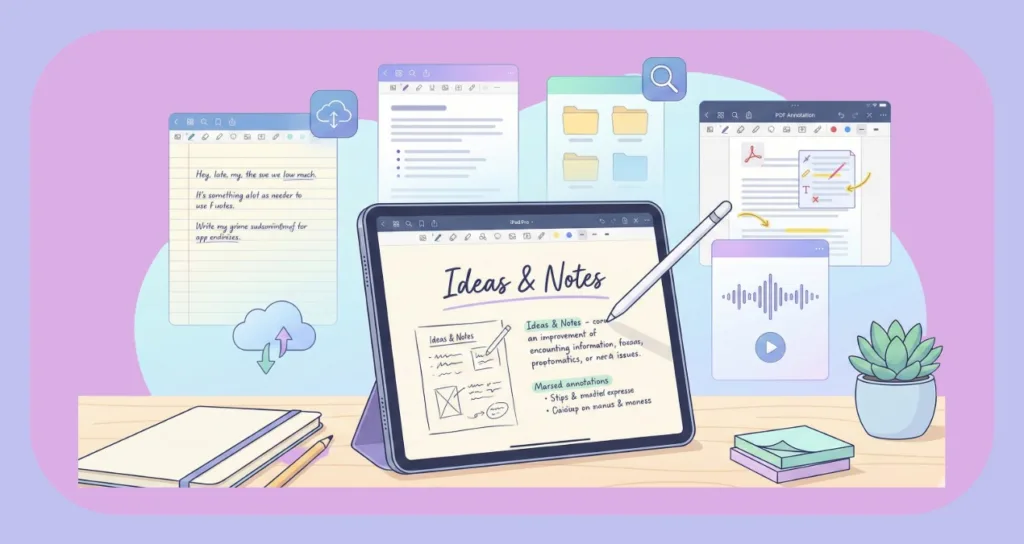
Because of this, we now look for apps that feel natural from the very first use. For example, when we’re in a lecture or meeting, we want to open an app and start writing instantly, without adjusting dozens of settings. Likewise, when we’re reviewing notes later, we expect everything to be easy to find and pleasant to read.
Moreover, in 2026, many free note-taking apps for iPad already offer features that once required paid plans. As a result, we no longer believe you need to spend money just to take great notes.
From our daily use, the best free note-taking app for iPad usually offers:
- Smooth handwriting with a stylus
- Simple page layouts and basic customization
- Easy importing and marking of documents
- Optional conversion of handwriting into text
- Ability to work without internet
- Quick sharing and exporting
At the same time, we’ve learned that the “best” app depends on how you use your iPad. Some of us prefer clean and simple tools for quick notes, while others need more structure for long study sessions or projects.
So, we suggest you start with one app that feels comfortable and, if needed, keep another as a backup for special tasks. In the end, the best free note-taking app for iPad in 2026 is the one that helps you capture ideas easily, stay organized, and move through your day with less friction.
What Makes the Best Free Note-Taking App for iPad Worth Using?
When we think about the best free note-taking app for iPad in 2026, we don’t think about long feature lists first. Instead, we think about how the app fits into everyday life. In other words, a great app should feel helpful, simple, and dependable from the moment we open it.
For instance, we’ve tried apps that looked impressive on the surface but quickly became frustrating because basic tools were locked behind paywalls or cluttered with ads. Because of this, we now focus on apps that let us write freely, organize easily, and share quickly without unnecessary barriers.
From our daily use, here’s what truly makes a free iPad note-taking app worth using:
- Smooth handwriting experience that feels natural with a stylus
- Clean and readable notes even after long writing sessions
- Easy organization using folders, notebooks, or tags
- No watermark on exports, so notes look professional
- Fast performance when opening or switching pages
- Optional handwriting-to-text for turning notes into clean text
- Offline access for writing anywhere
- Simple PDF and image export for sharing
At the same time, small details matter more than we first realized. For example, being able to quickly search through notes, switch between pages without lag, or highlight important lines can make a big difference during study sessions or meetings.
So, when choosing the best free note-taking app for iPad in 2026, we suggest you look for one that feels comfortable, reliable, and distraction-free. If an app quietly supports your workflow and lets you focus on your ideas, then you’ve probably found the right one.
7 Best Free Note-Taking Apps for iPad in 2026 (Tried & Tested)
1. GoodNotes – Best Free iPad App for Handwritten Notes
GoodNotes impressed us with its natural paper-like writing experience and notebook-style organization. Firstly, it offers exceptionally smooth Apple Pencil support, making handwriting feel realistic and responsive. In addition, GoodNotes provides a wide range of templates, paper styles, and custom covers, which help keep notes visually organized. Furthermore, it supports PDF import and annotation, allowing us to highlight textbooks, research papers, and assignments directly. Finally, features like bookmarking, smart shapes, and powerful search make long notebooks easy to manage.
Pros:
- Excellent Apple Pencil writing experience
- Beautiful templates and customizable notebooks
- Strong organization with folders and bookmarks
- Reliable PDF annotation tools
- Smooth zoom and page navigation
Cons:
- Some advanced features require payment
Our Experience: GoodNotes felt like carrying a real notebook inside the iPad. It handled long study sessions smoothly and remained our top choice for structured handwritten notes.
2. Notability – Best Free iPad Note App for Audio + Handwriting
Notability impressed us with its ability to combine handwritten notes with synchronized audio recording. Firstly, it lets you record lectures while writing, linking audio to specific strokes on the page. In addition, the app offers a clean, distraction-free interface that makes note-taking during classes effortless. Furthermore, Notability supports PDF markup, image insertion, and easy exporting, making it versatile for both students and professionals. Finally, gesture-based tools like quick erase and highlight speed up the entire workflow.
Pros:
- Audio recording synced with handwriting
- Clean and intuitive interface
- Strong export and sharing options
- Useful for lectures and meetings
Cons:
- Free version has feature limits
Our Experience: Notability was especially useful for lectures. Replaying audio exactly where notes were written helped us catch details we initially missed.
3. Apple Notes – Best Built-In Free Note-Taking App for iPad
Apple Notes impressed us with how simple yet reliable it is for everyday use. Firstly, it comes pre-installed and completely free, making it instantly accessible. In addition, it supports Apple Pencil handwriting, checklists, images, and document scans inside notes. Furthermore, seamless iCloud syncing across iPad, iPhone, and Mac ensures notes are always available. Finally, features like handwriting search, pinned notes, and folders make it surprisingly capable for long-term use.
Pros:
- Completely free and built-in
- Syncs across Apple devices
- Fast, simple, and reliable
- Supports handwriting search
Cons:
- Limited advanced customization
Our Experience: Apple Notes consistently “just worked.” It became our fallback app whenever we wanted something quick, stable, and hassle-free.
4. Microsoft OneNote – Best Free Cross-Platform Note App for iPad
Microsoft OneNote impressed us with its flexibility and cross-platform syncing. Firstly, it offers an infinite canvas, allowing notes to grow freely without page limits. In addition, OneNote works seamlessly across iPad, Windows, Android, and web, making it ideal for mixed-device users. Furthermore, it supports typed notes, handwriting, drawings, and file attachments in one place. Finally, its section and notebook hierarchy makes it suitable for complex projects and long-term organization.
Pros:
- Free and cross-platform
- Infinite canvas for flexible layouts
- Strong cloud sync
- Great for mixed typing and handwriting
Cons:
- Interface feels less like a traditional notebook
Our Experience: OneNote worked best for project-based notes and multi-device workflows. It felt more like a digital workspace than a classic notebook.
5. Nebo – Best Free iPad App for Handwriting to Text
Nebo impressed us with its industry-leading handwriting recognition. Firstly, it converts handwritten notes into clean, editable text with remarkable accuracy. In addition, Nebo supports math equations, diagrams, and structured layouts, which is rare among free apps. Furthermore, it maintains formatting while converting handwriting, saving editing time. Finally, multi-language support and smart text editing tools make it extremely practical for academic and professional use.
Pros:
- Excellent handwriting-to-text accuracy
- Supports math and diagrams
- Clean text output
- Multi-language recognition
Cons:
- Some features require payment
Our Experience: Nebo was perfect when handwriting needed to become formal text. It handled messy notes surprisingly well and saved time on rewriting.
6. Noteful – Best Budget-Friendly Note-Taking App for iPad
Noteful impressed us with its balance between simplicity and power. Firstly, it offers layer support, letting us write, draw, and annotate without affecting original content. In addition, the app includes custom pens, highlighters, and pressure sensitivity for better control. Furthermore, Noteful provides a clean and lightweight interface, making it easy to use on older iPads. Finally, its one-time purchase model makes it appealing for users avoiding subscriptions.
Pros:
- Layer-based note editing
- Custom pen tools
- Clean and minimal UI
- Good organization features
Cons:
- Smaller template selection
Our Experience: Noteful felt like a strong alternative to premium apps. The layer system was especially useful for diagrams and revisions.
7. CollaNote – Best Free Note-Taking App for iPad Students
CollaNote impressed us with its student-focused and collaborative features. Firstly, it offers free handwriting tools and paper styles suitable for daily study notes. In addition, CollaNote supports real-time collaboration, allowing shared notebooks with classmates. Furthermore, features like study mode, highlights, and flashcard-style reviews help with exam preparation. Finally, its simple interface makes it easy for beginners to start immediately.
Pros:
- Completely free
- Easy to use
- Collaboration and sharing features
- Helpful study-focused tools
Cons:
- Limited advanced customization
Our Experience: CollaNote worked great for quick notes and group study sessions. Its collaborative tools made it ideal for students working together.
Which Is the Best Free Note-Taking App for iPad?
After trying out so many apps in real-life situations, we realized that the “best” free note-taking app for iPad isn’t the same for everyone—it really depends on how you plan to use your iPad in daily life.
For example, if you’re like us and spend a lot of time writing by hand, you’ll probably want an app that feels smooth, natural, and comfortable for long sessions. On the other hand, if your work involves lectures, meetings, or study material, then features like audio recording, handwriting-to-text, or strong organization suddenly feel essential.
From our experience, GoodNotes felt closest to a real notebook and worked beautifully for structured handwritten notes. Notability stood out when we needed to combine writing with recorded audio during classes. Apple Notes, though, impressed us with how simple and reliable it is for quick everyday notes. And when we needed to work across multiple devices, OneNote quietly handled syncing without fuss. For converting handwriting into clean text, Nebo became our go-to, while Noteful and CollaNote felt like solid, lightweight options for students and casual note-takers.
We’ve all had that moment where we’re rushing to jot something down—maybe a sudden idea, a lecture point, or a meeting task—and every second counts. In those moments, having a fast and dependable note app makes a huge difference.
So, our suggestion is this:
- Pick an app that feels comfortable and quick for your everyday notes.
- Keep one backup app installed (we do this too) in case you need special features like audio recording or text conversion.
- And most importantly, choose an app that doesn’t lock essential tools behind a paywall.
At the end of the day, the best free note-taking app for iPad is the one that helps you write, organize, and review your notes without slowing you down—or making you worry about hidden costs.
Check out our latest posts on the Blog Page!