
Worried an automatic wallpaper changer on Android drains battery? We share our real daily experience, setup guide, and what actually happened.
The Small Tiredness of a Still Screen
There is a very specific kind of tiredness that comes when you spend too much time with your phone. Not the loud kind. The quiet kind.
We noticed it one morning when we unlocked our Android phone and realized the wallpaper hadn’t changed in weeks.
- Same colors.
- Same mood.
- Same screen staring back at us every single day.
Nothing was wrong with it, yet it felt old.
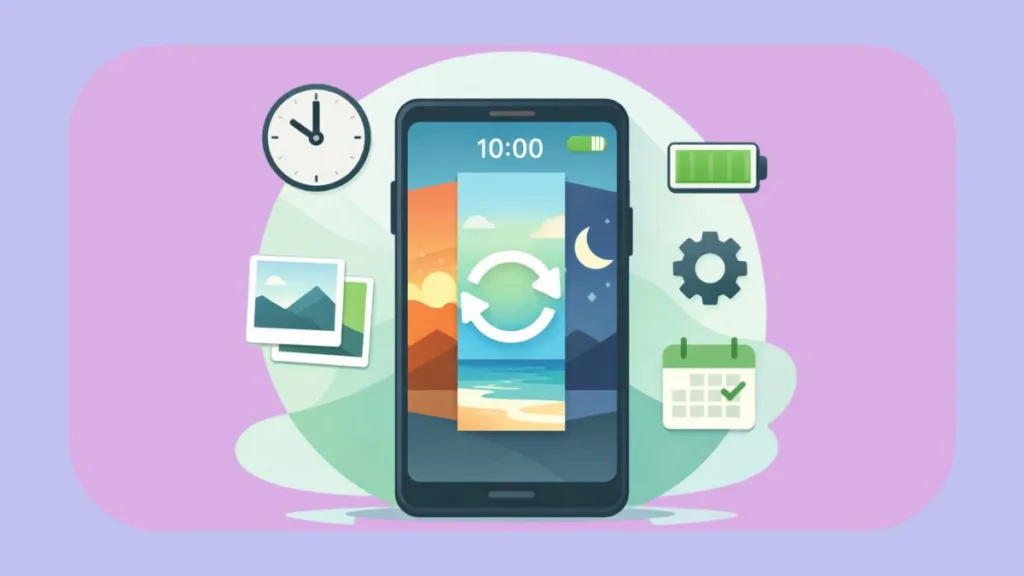
That was the moment we started thinking about an automatic wallpaper changer on Android, not as a feature, but as a feeling. We didn’t want something new just to be new. We wanted our phone to feel alive again.
The Search for Control vs. Chaos
At first, we thought this would be simple. After all, Android is known for letting you change things. Surely there had to be an easy way to make wallpapers change by themselves.
The Problem with Most Apps
What we found instead was a huge mix of options, each promising a different way to do it.
Some apps focused on random wallpapers pulled from the internet. Others leaned heavily into flashy dynamic wallpaper Android experiences. A few quietly sold themselves as a daily wallpaper changer, updating the background once every 24 hours and calling it a day.
None of that felt right.
What We Actually Needed
What we were actually looking for was control.
- Control over when the wallpaper changes.
- Control over which images appear.
- Control over whether this tiny change would drain our battery or stay hidden like it should.
How We Picked the Experience
So we slowed down and treated it like a small test. We began by picking our own images. Photos we already loved. A few clean 4K backgrounds, some simple patterns, and a couple of calming landscapes.
Instead of relying on a random wallpaper generator Android, we wanted it to have meaning.
Setting Up the Slideshow
That’s when the idea of an Android wallpaper slideshow started to make sense.
Using a reliable wallpaper changer app like Wallpaper Changer, we connected a folder from our gallery and turned on photo album integration. Suddenly, the wallpaper wasn’t a single image anymore. It was a mix. A background rotation that felt personal.
We adjusted the time settings carefully. Not too fast to be distracting. Not too slow to feel stuck. For us, changing the wallpaper every few hours felt right, although Android makes it easy to change wallpaper every hour if you like that speed.
The Good Feeling
This was the first time the setup felt planned instead of silly. The real shift happened a day later.
You unlock your phone in the afternoon and the wallpaper is different. Not shocking. Just new.
You lock it at night and notice the mood has slightly changed. That small happy feeling is real, even if you don’t think about it.
This is where home screen customization stops being just for looks and starts feeling special. Your phone doesn’t feel frozen in time anymore. It feels like it fits your day.
Why We Moved Away from Live Wallpapers
For a while, we tried live wallpapers as well. Options like Muzei Live Wallpaper and even time-based scenes felt impressive. There is something magical about a background that changes based on the time of day.
The Downside of Live Wallpapers
But here is the catch.
Live wallpapers are beautiful, but they don’t always give you full control over the image itself. You gain a mood, but you lose personal choice. That trade-off mattered more than we expected.
Eventually, we found our balance. Gallery-based rotation using tools like Wallpaper Changer by j4velin gave us exactly what we wanted.
Clean background rotation. Widget support when we wanted manual control. Even simple gestures like double tap to change when we felt like switching things up instantly.
Other Great Options
On the other hand, apps like Google Wallpapers and Bing daily wallpaper were perfect if you preferred ready-made lists without managing folders yourself.
There are also creative choices like Tapet, Zedge wallpaper changer, Casualis, and Wallpaper Studio 10, each using different styles of automation.
This is why conversations around the best automatic wallpaper changer apps for Android 2026 rarely have a single winner. The best option depends on how much control you want.
The Reality Check: Good and Bad Points
Of course, reality always kicks in. We quickly noticed that lock screen wallpaper auto changer support is hit or miss across Android devices.
Some phones handle it perfectly. Others limit how often the lock screen can be changed automatically. This isn’t always the app’s fault. It’s often tied to the phone maker and Android version.
Battery worries were another doubt we shared with many users. Does an automatic wallpaper changer drain battery? Surprisingly, not in the way most people fear.
Addressing the Battery Myth
Still image rotation with proper battery saving barely shows up in daily usage. Problems usually start when wallpapers are moving all the time or pulling data constantly.
If you auto change wallpaper from gallery, the battery use is almost nothing. This is why a wallpaper changer without battery drain is less about the app name and more about how you set it up.
What About Data Usage?
Data usage was another quiet worry. Thankfully, once images are saved on your phone, background rotation doesn’t use data at all. Online sources only matter if you rely on cloud-based wallpaper feeds.
The Final Verdict
At some point, the technical questions go away. You stop thinking about how to automatically change wallpaper on Android because it’s already working.
The wallpaper changes quietly. The phone feels fresher. The experience becomes invisible.
That’s when we realized why this small tweak matters. An auto wallpaper changer isn’t about showing off. It’s about breaking boredom. It’s about giving your phone a rhythm that matches your day.
Your phone stops feeling still. And in a world where we stare at these screens constantly, that tiny sense of freshness makes a bigger difference than we expected.
Check out our latest posts on the Blog Page!

I’m Vanshika Vampire, the Admin and Author of Izoate Tech, where I break down complex tech trends into actionable insights. With expertise in Artificial Intelligence, Cloud Computing, Digital Entrepreneurship, and emerging technologies, I help readers stay ahead in the digital revolution. My content is designed to inform, empower, and inspire innovation. Stay connected for expert strategies, industry updates, and cutting-edge tech insights.